
 Public
A cookie policy you never have to write
one line, really
One shortcode. Cookie Rocks fills it from what your site really loads, keeps it up to date and shows it in your visitor’s language.
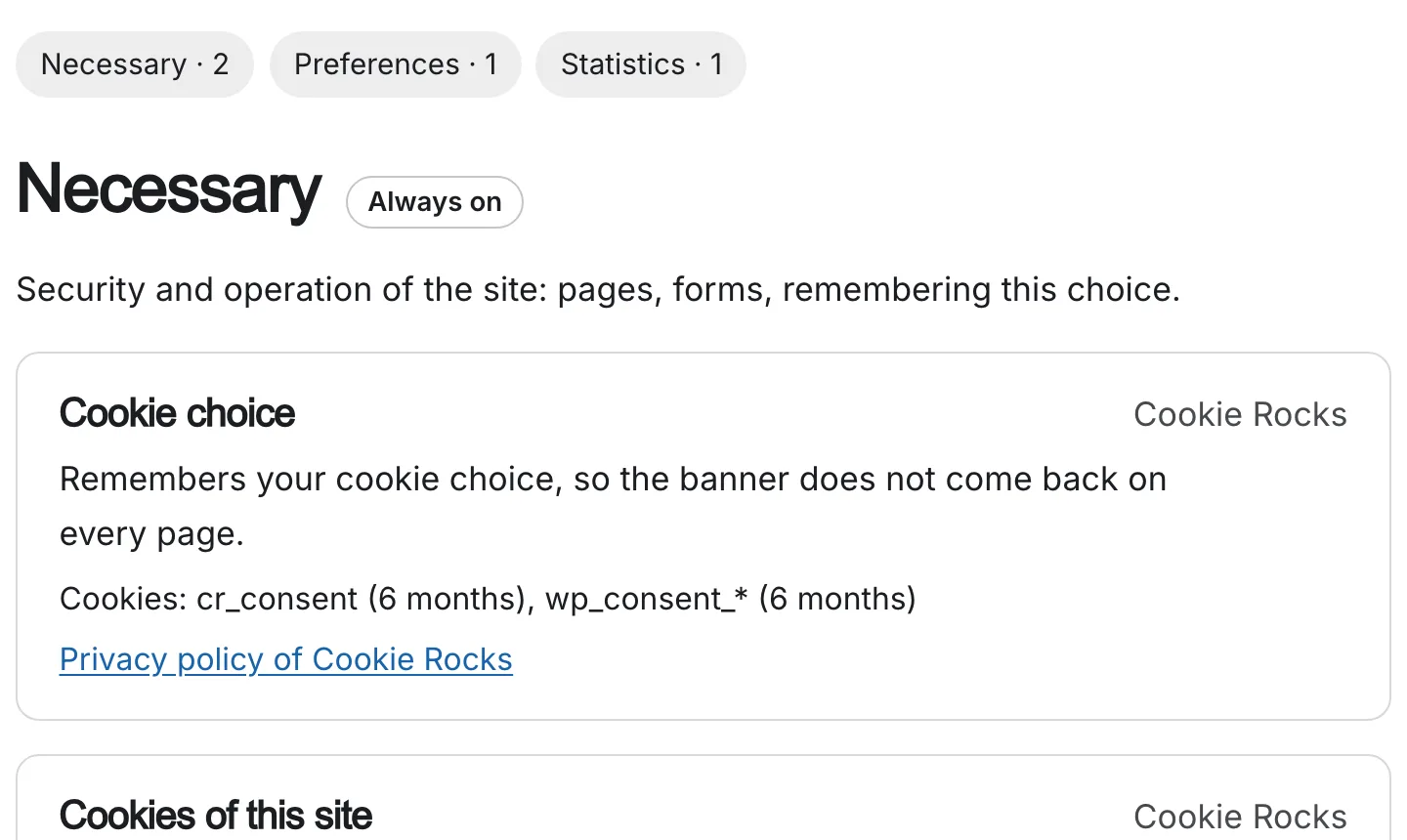
Paste one line. That is it.
Every tool found on your pages, with its provider, what its cookies do in one sentence and its privacy policy, grouped by category and dated.
What a cookie policy should say
- InventoryWhich cookiesEvery cookie and similar tool your site uses.
- PurposeWhat each one is forAnd whether it is essential.
- OwnerWho sets themYou, or which company.
- DurationHow long they lastWritten for each cookie.
- ChoiceHow to change a choiceHow to accept, refuse, or come back later.
- ContactHow to reach youAnd when the page was last updated.
A link that reopens the choices
One line in your footer, and visitors can change their mind on every page. It works here too, try it.
[cookie_rocks_link text="Cookie settings"]Cookie settings
Not using Cookie Rocks?
no hard feelings
Install the free Audit next to the banner you have: it writes this policy from your own pages.
What your visitors read
short first, details on demand
A clear page, not a wall of text. Each visitor sees what your site really uses, and can open the details.
- One section per category. Only what your site uses. The others fit in one line.
- A card per tool. What it does, its cookies in one sentence, and its company’s privacy policy.
- Names and durations. Each card opens on the exact cookies, and what the tool stores in the browser.
- A Manage cookies button. At the top and at the bottom, to reopen the banner when it can.
It fits your site
any theme, any language
With Pro it takes the fonts and colours of your theme, at a comfortable reading width. The policy follows the language of the page, with Polylang or WPML too.
- Two settings in Pro.
title="1"adds a main heading,width="60rem"sets its width. - Your own words. Alone on a page, under your own introduction, or inside your privacy policy.
- Customer accounts. If visitors can sign in, it lists the WordPress sign-in cookies.
- No credit with a key. With a paid key you decide whether the small credit line stays.
It follows your site
you can forget about it
It lists what the scan finds on your pages, not what someone remembered to write. Tools come and go, and the page follows.
- Tag Manager included. The tools your container loads go in by themselves, paused tags stay out.
- Old cookies leave. A cookie not seen for 30 days drops out of the policy.
- A reminder when it is old. The Overview tells you when the analysis needs a new run.
- Create the page in one click. The plugin prepares a draft page with the shortcode.
It stays your document. Read it once, and check any tool that Cookie Rocks does not recognise.
Go further
Your other documents
See them side by side30 days free
Try the complete plugin. Nothing breaks on day 31.
no card, no catch
Every feature, every update and support, for 30 days. Setting it up takes a few minutes; the month gives you time to get the purchase through your accounting.
- During the trial: everything, including the full settings and the scans
- After 30 days without a key: the banner, your visitors’ choices and your proofs of consent keep working
- What waits for a key: most settings, updates and support

Get your trial key
Your e-mail and your site. Your key arrives as soon as you confirm your e-mail.