
Highly customisable
Your banner, your style
no more white flash at midnight
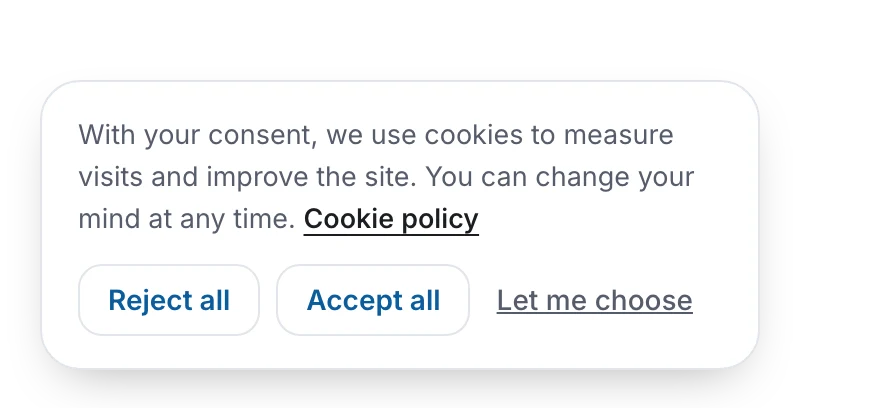
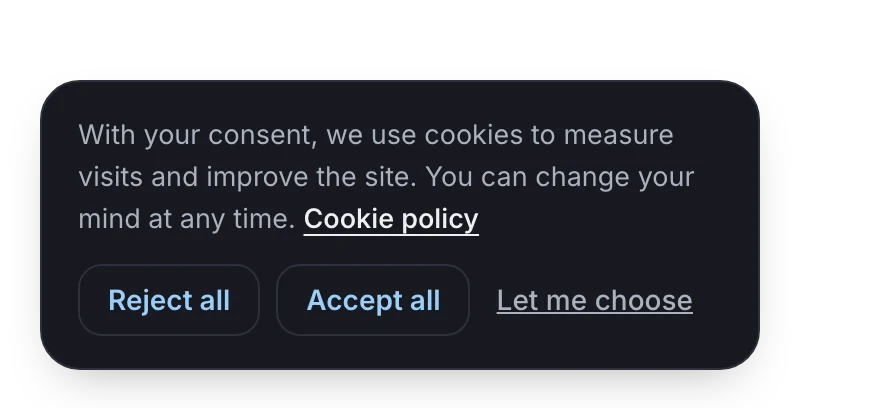
Every look setting in one place, with a live preview of your own home page. In automatic mode, the banner follows your site’s light/dark switch, or the visitor’s device.
- Box, bar or discreet: a floating box, a bar across the page, or a small discreet box
- Left or right, and the cookie button placed per device: computer, tablet, phone
- Light, dark or automatic
- Your accent colour, picked from your theme or typed as a code, with a live contrast score
- Rounded or square: corners from 0 to 32 pixels
- Shadows on or off
- Accept highlighted or not, where the law lets you choose
- Your logo on the cookie button, or our little rock, in three sizes: 28, 40 or 44 pixels
- Your own words, language by language
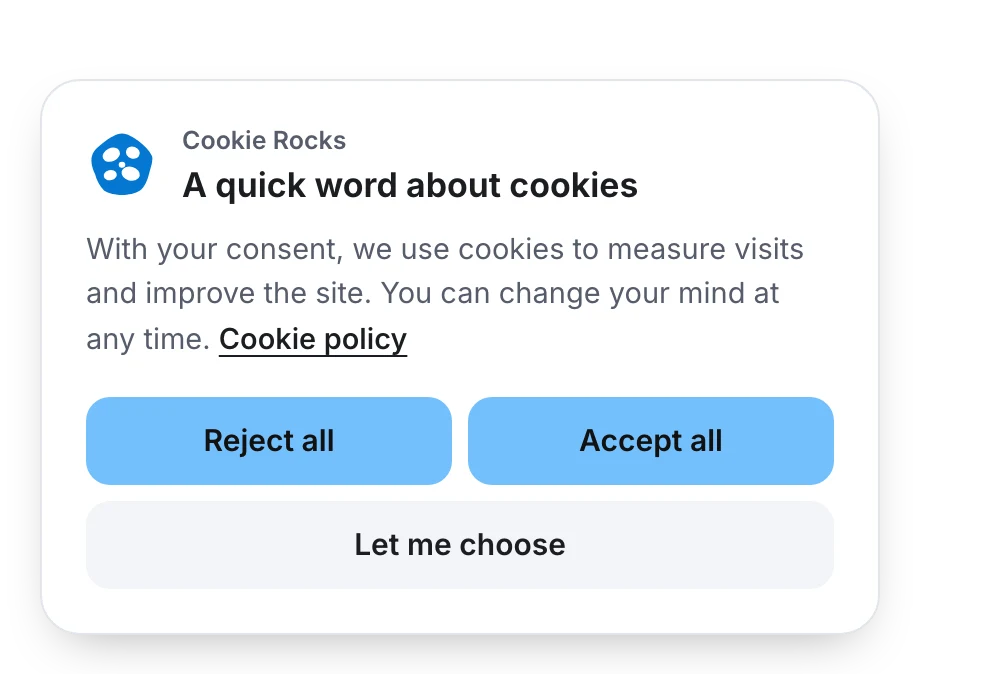
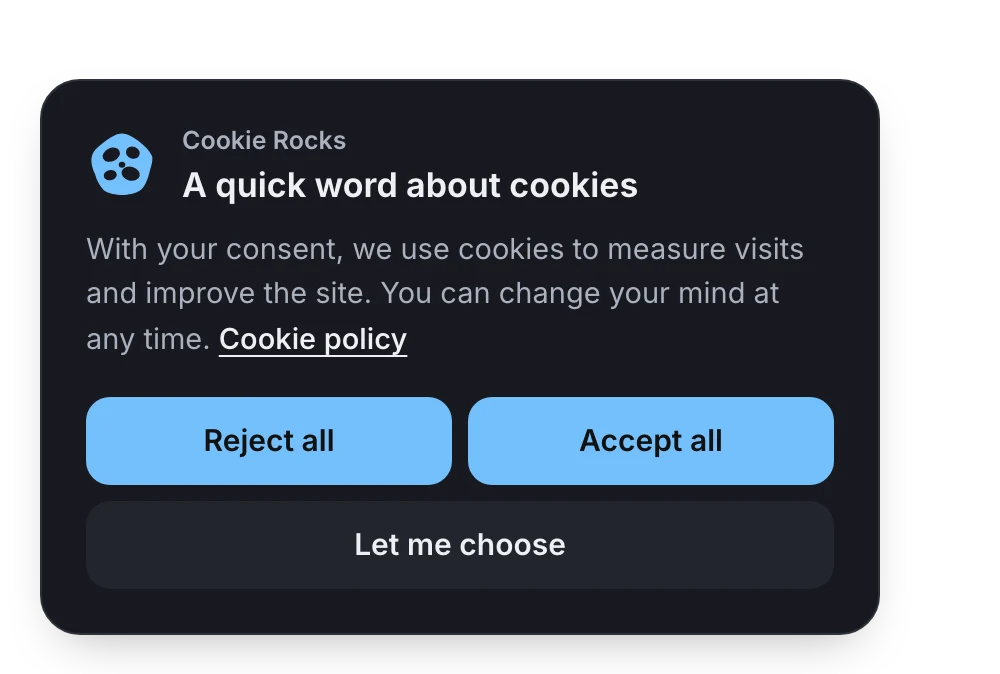
Try it here
Play with the corners, the colours and the ring
The banner, its details and the cookie button, drawn on this page with the settings of the Appearance screen. Nothing is saved: play as much as you like.
Your choices
Your browser loads your site directly: nothing goes through our server and nothing is kept. It is shown without its scripts, so nothing of your site runs here. Some sites refuse to be shown in a frame: the background then stays empty.
In the plugin, also: left or right, a place for the cookie button on each screen size, a live preview of your own home page, and your own CSS for anything else.
The ring
A little ring that says: we heard you.
the politest halo on the web
A visitor clicks “Reject all”. Usually, the banner just vanishes. Cookie Rocks puts a ring around the cookie button and a short message for 5 seconds: their refusal is applied. That’s it. No confetti.
- For whom: every visitor who refuses, on every site. Visitors from the United States read “Opt-out request honored”, the others “Refusal applied”.
- When: after “Reject all”, “Do Not Sell or Share” or a category turned off in the details, and from the first page when the browser sends Global Privacy Control.
- Stubborn on purpose: with Global Privacy Control, the ring stays even after “Accept all”, because the browser’s opt-out signal still applies to marketing cookies.
- Your colour, or no ring at all: it is a setting.
In California, sites covered by the CCPA must show that the opt-out request was honoured. The ring does it for you. Global Privacy Control, state by state
How it works, step by step: the ring in the documentation
Every shape setting
- Rounded corners: 0 to 32 px, in steps of 2. The box, the buttons and the details panel follow.
- Distance from the screen edges: 0 to 40 px. At 0, the box sits in the corner and its corners on the screen side turn square.
- On phones: 8 px from the edges at most, so the page stays usable.
- Shadows: on, or off for a flat look.
- Layout: a floating box, a bar at the bottom of the page, or a small discreet box, left or right.
Corners and edges
Square, round, or anything in between
from square to round, 2 px at a time
Your theme has square buttons? Your banner can too. Soft and round? Same. The corners of the box, its buttons and its details panel move together, so nothing looks borrowed from another site.
Step by step: make the banner match your site
Colours
Your colour, always readable
even Sunflower on white
Cookie Rocks offers the colours of your site, found in your theme, Divi, Elementor or the Customizer, plus six light suggestions. Pick one: the text on the buttons turns white or near black, whichever stays readable.
- In the light theme, the focus outline, the logo and the switches use a darker shade of your colour, dark enough to read
- In the dark theme, they use your colour, or a lighter shade when it is too dark to see
- Automatic follows your site’s light/dark switch, or the visitor’s device: no white flash at midnight
Suggested colours
- Sky blue
#74c0fc - Lavender
#b197fc - Bubblegum
#f783ac - Apricot
#ffa94d - Sunflower
#ffd43b - Mint
#63e6be
Colour of the year
Not a fan of our blue?
Vote for next year’s colour. The winner becomes the colour of this site, of our e-mails, and the default of every new Cookie Rocks installation. A colour you already chose stays yours.
Fonts
Your font. Zero bytes of ours.
your typographer will sleep well
The banner uses your site’s own font: no font file to download, no font service contacted. It reads like the rest of your pages, and it adds nothing to the weight.
Fonts loaded from another server can need consent in some countries. Web fonts and the law The free Audit lists them, with what each licence allows.
What the banner downloads
- 0 Font files
- 0 Requests to other servers
- 0 Icons from an icon library


The cookie button
A small button, exactly where you want it
never under your chat bubble
Visitors must be able to withdraw their consent as easily as they gave it. The cookie button does that, in a corner of every page.
- A place per device: computer, tablet and phone, or just drag it in the preview
- Above a bar: 96 px up, clear of the fixed bars many sites show at the bottom
- Normal or small and discreet
- Our little stone, drawn by the stylesheet, or your own logo (SVG, PNG or WebP, 10 kB at most)
- Rather a link? Hide the button and put a link that reopens the choices on every page
Your buttons, your call
Equal buttons where the law says so. Your choice everywhere else.
we know which is which
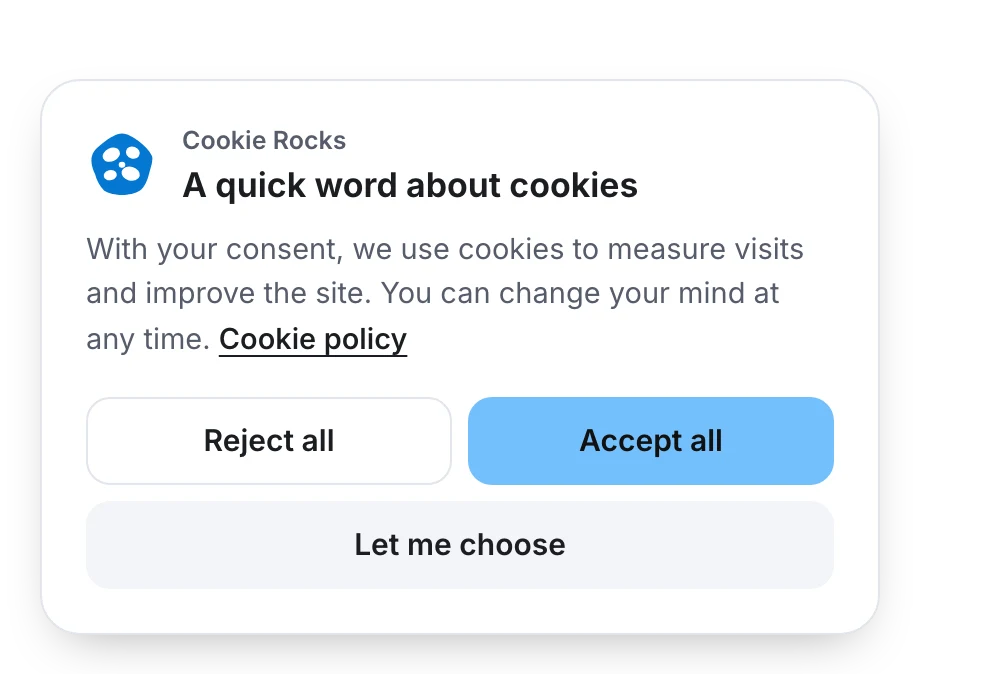
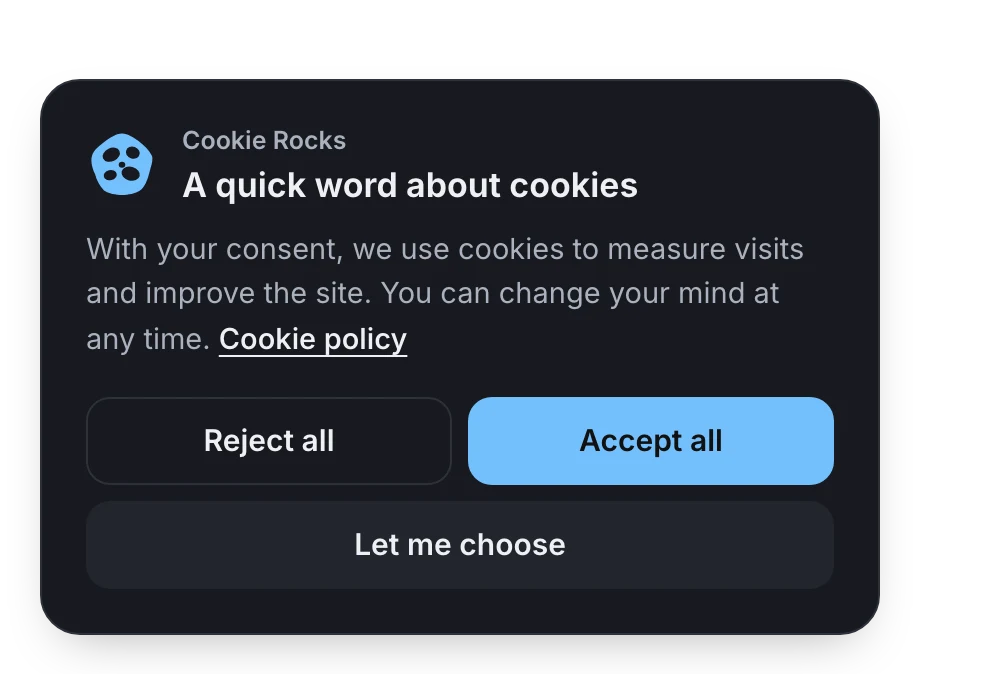
Most of the world has no rule on how consent buttons look. 31 jurisdictions require “Accept” and “Reject” to look the same. Cookie Rocks knows what each of your countries asks: put “Accept” in your brand colour if you like, and the dashboard tells you when one of your countries requires equal buttons.
Equal buttons required in: Austria, Belarus, Belgium, Canada: Quebec, Colorado, Connecticut, Croatia, Cyprus, Denmark, Egypt, Estonia, Finland, France, Germany, Gibraltar, Greece, India, Ireland, Italy, Latvia, Liechtenstein, Lithuania, Netherlands, Norway, Philippines, Slovenia, Spain, Spain: Catalonia, Sweden, United Kingdom and United States: California.
- 31 require equal buttons
- 38 recommend them
- 179 have no rule on how buttons look
Out of 248 jurisdictions followed by Cookie Rocks, from official sources. See them all
Care more about looks than about the number of answers? The discreet box is small, has no title and uses outline buttons. Fewer visitors answer it, and until they do, nothing that needs their consent loads.
Accessibility
Usable with a keyboard, a screen reader, or one thumb
nobody gets stuck in the banner
A consent banner stands between every visitor and your page. Cookie Rocks makes sure everyone can answer it.
- First in the page: the first keyboard stop and the first thing screen readers read
- The details panel is a real dialog: focus moves in and stays there, Escape closes it, focus comes back to the button that opened it
- Switches are announced as switches, with the name and description of their category or tool
- The message after a choice is read aloud without moving the focus
- Placeholders for videos, maps and forms meet WCAG 2.2 level AA: buttons at least 44 px high, a visible focus outline
- Text on buttons kept readable, whatever colour you pick
- Which sites must follow which standard, country by country: accessibility laws
Languages
54
languages for the banner, Arabic from right to left. Regional variants use their main language.
Your words
Your own words, language by language
or ours, translated
Eight texts per language: the title, the sentence, the three buttons, and the details. Leave a field empty and the recommended text stays, translated and updated with the plugin. The recommended sentence even names the tools found on your site.
Keep “Reject all” as clear as “Accept all”: European data protection authorities check this closely. Misleading banners and the law
The eight texts
- Banner title · 80 characters
- Banner sentence · 600 characters
- Reject, Accept and Choose buttons · 40 characters each
- Details title · 80 characters
- Details sentence · 400 characters
- Save button · 40 characters
Keep exploring
More on what Cookie Rocks does
The law, in plain words
What each of your countries asks, in a few lines, with the official text one click away.
Equal buttons, country by country
Where “Accept” and “Reject” must look the same, and where you choose.
Global Privacy Control
The browser signal behind the ring, and the US states that require it.
The weight of the banner
11.43 kB on a first visit, measured against the other consent plugins.
30 days free
Try the complete plugin. Nothing breaks on day 31.
no card, no catch
Every feature, every update and support, for 30 days. Setting it up takes a few minutes; the month gives you time to get the purchase through your accounting.
- During the trial: everything, including the full settings and the scans
- After 30 days without a key: the banner, your visitors’ choices and your proofs of consent keep working
- What waits for a key: most settings, updates and support

Get your trial key
Your e-mail and your site. Your key arrives as soon as you confirm your e-mail.